
Is the CKA exam hard? For most people, yes, but not for the reasons they expect. The Certified Kubernetes Administrator (CKA) is not a multiple choice test. You solve real tasks in a terminal against live clusters, with a clock running. The concepts are learnable. What makes it hard is speed, accuracy at the command line and staying calm when something you built does not work. This guide explains what the exam is really like and how to prepare so it feels manageable.
Quick answers
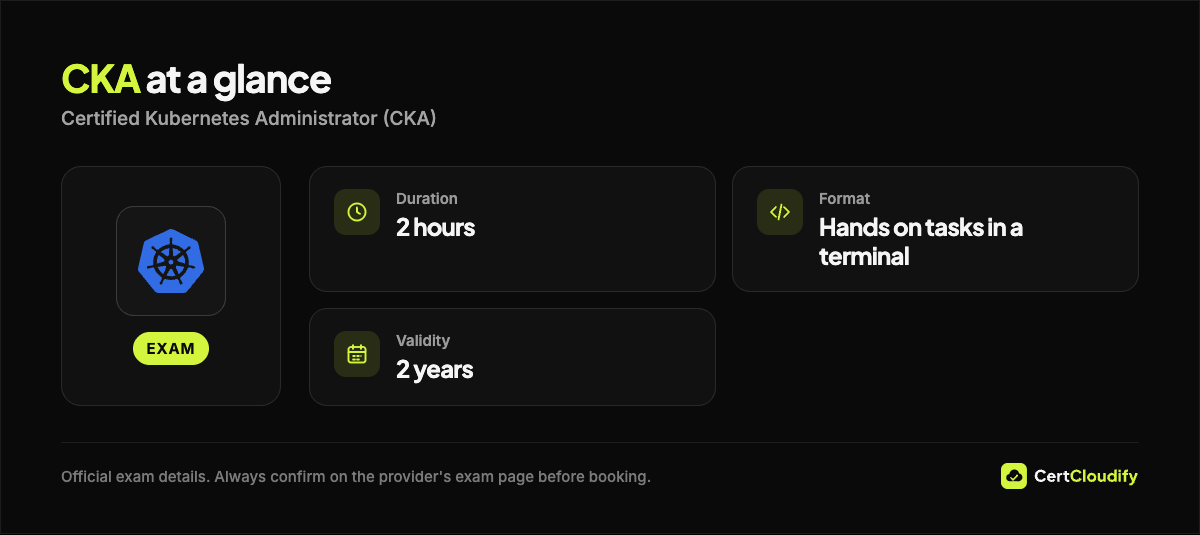
- Format: performance based. You complete hands on tasks in a terminal against real Kubernetes clusters.
- Time: 2 hours.
- Passing score: 66% or higher.
- Kubernetes version: the curriculum is v1.37 (October 2026).
- Retake: one retake is included with the exam registration.
- Simulator: two killer.sh simulator attempts are included, each with 36 hours of access.
- Validity: 2 years.
- Allowed resources: the Kubernetes documentation and blog, the Helm documentation and the Gateway API documentation, through the browser in the exam environment.
Why the CKA exam feels hard
1. It is hands on, so partial knowledge does not help much
In a multiple choice exam, recognizing the right answer is enough. In the CKA you must produce the right result. If you know that a NetworkPolicy is needed but write the selector wrong, the task fails. You need to have done each task type many times before exam day.
2. Time is tight
Two hours goes quickly when every task involves reading, switching context, writing YAML and checking the result. Candidates who type every manifest from scratch usually run out of time. Candidates who use imperative kubectl commands to generate YAML finish with time to check their work.
3. Troubleshooting is the biggest domain
Troubleshooting is worth 30% of the exam. You will face broken clusters and broken applications and must find the cause yourself. There is no list of options to choose from.
4. The documentation is allowed, but searching it is slow
You can use the official Kubernetes documentation, but every minute spent searching is a minute not spent solving. Know where the key pages are before the exam.
CKA exam domains and weights
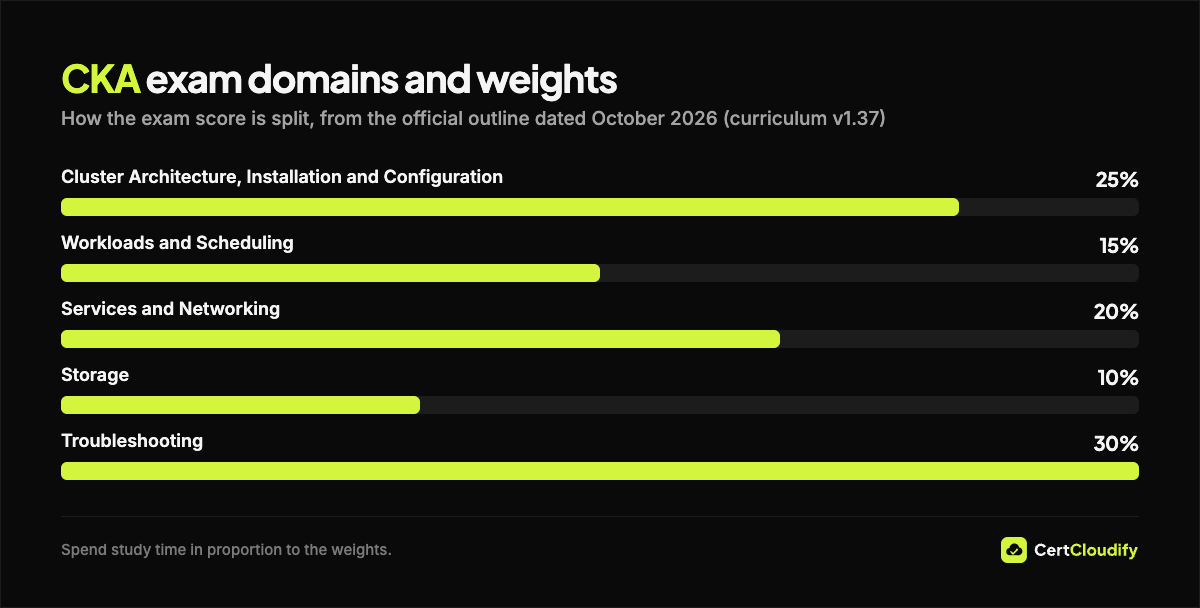
The curriculum (October 2026, Kubernetes v1.37) has five domains:
| Domain | Weight |
|---|---|
| Cluster Architecture, Installation and Configuration | 25% |
| Workloads and Scheduling | 15% |
| Services and Networking | 20% |
| Storage | 10% |
| Troubleshooting | 30% |
Troubleshooting plus cluster architecture is more than half of the exam. These are also the areas where people who only use managed Kubernetes services, and never touch kubeadm, etcd or the kubelet, have the least experience.
What the hardest tasks look like
- etcd backup and restore. Take a snapshot with etcdctl, restore it with etcdutl, then point the etcd static Pod manifest at the restored data.
- Cluster upgrade. Upgrade a kubeadm cluster by one minor version: control plane first, then the worker, draining and uncordoning nodes along the way.
- Broken node or control plane. A node shows NotReady, or kubectl returns connection refused. You need to check the kubelet, static Pod manifests in /etc/kubernetes/manifests/ and container logs with crictl.
- NetworkPolicy logic. Selectors inside one from item are combined with AND. Selectors in separate items are combined with OR. One misplaced dash changes the meaning.
- Gateway API. Route traffic with an HTTPRoute that references the right Gateway through parentRefs.
Symptom to cause: the troubleshooting shortcuts
| Symptom | Likely cause |
|---|---|
| Node NotReady | kubelet stopped or misconfigured |
| kubectl: connection refused | kube-apiserver down; check with crictl logs |
| Pod Pending with no events | kube-scheduler down |
| Pod Pending, Insufficient cpu | Requests too large for the nodes |
| CrashLoopBackOff | Read kubectl logs –previous |
| ImagePullBackOff | Wrong image name or registry credentials |
| Service has no endpoints | Selector does not match Pod labels |
| HPA target shows unknown | No CPU requests or no metrics-server |
A four week CKA study plan
The CKA is hands on, so daily practice in a real cluster is essential. Build your own cluster with kubeadm on two small virtual machines. Managed clusters hide the parts the exam tests.
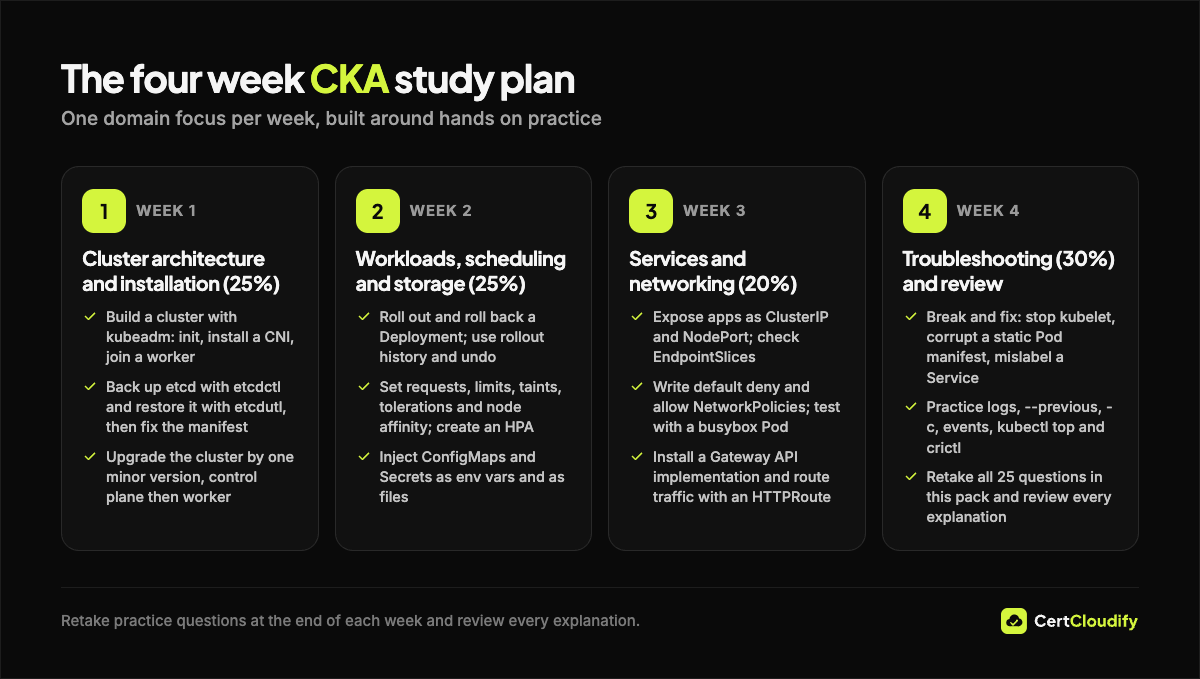
Week 1: Cluster architecture and installation (25%)
- Build a cluster with kubeadm: init, install a CNI plugin, join a worker.
- Back up etcd with etcdctl, restore it with etcdutl, then fix the manifest.
- Upgrade the cluster by one minor version, control plane then worker.
- Create Roles, ClusterRoles and bindings, and test them with kubectl auth can-i –as.
Week 2: Workloads, scheduling and storage (25%)
- Roll out and roll back a Deployment using rollout history and undo.
- Set requests, limits, taints, tolerations and node affinity, then create a HorizontalPodAutoscaler.
- Inject ConfigMaps and Secrets as environment variables and as files.
- Create a StorageClass, PVC and PV, and test reclaim policies and access modes.
Week 3: Services and networking (20%)
- Expose apps as ClusterIP and NodePort Services and check their EndpointSlices.
- Write default deny and allow NetworkPolicies, then test them from a busybox Pod.
- Install a Gateway API implementation and route traffic with an HTTPRoute.
- Resolve Service names across namespaces with nslookup and inspect CoreDNS.
Week 4: Troubleshooting (30%) and review
- Break and fix on purpose: stop the kubelet, corrupt a static Pod manifest, mislabel a Service.
- Practice kubectl logs with –previous and -c, events, kubectl top and crictl.
- Use both killer.sh simulator sessions included with your registration, and review every task you could not finish.
Speed tips that make the difference
- Generate YAML, do not type it. Use kubectl run with –dry-run=client -o yaml, kubectl create deploy and kubectl expose, then edit the output.
- Check the context. Each task tells you which cluster to use. Run the context command it gives you every time.
- Verify every task. After each change, run a quick get or describe to confirm it worked.
- Skip and return. If a task is stuck after a few minutes, flag it and move on. Every task is worth points.
Try one original CKA style question
This is an original practice example written for this article, not a real exam question.
A Service named web has no endpoints, but the Pods it should target are Running. What is the most likely cause?
Correct answer: B
A Service only selects Pods whose labels match its selector. Compare kubectl get svc web -o yaml with kubectl get pods –show-labels.
Frequently asked questions
How long does it take to prepare for the CKA?
If you already use Kubernetes at work, four focused weeks is realistic. If you are new to Kubernetes, plan for longer and start with basic workloads and Services before following the plan above.
Is the CKA open book?
Partly. You may use the Kubernetes documentation and blog, the Helm documentation and the Gateway API documentation in the exam browser. Other websites are not allowed.
What if I fail the CKA?
One retake is included with your registration. Use your first attempt to learn which domains slowed you down, then practice those tasks until they are automatic.
Is the CKA worth it in 2026?
For platform, DevOps and cloud engineers, yes. It proves you can operate Kubernetes, not just describe it. Our guide to picking your first certification shows where it fits next to cloud and AI exams.
Practice the concepts before the terminal
Check your understanding with the free practice questions on our CKA page. The complete CKA guide ($19) covers every domain with original questions and explanations, this four week plan, a cheat sheet of imperative commands and key file paths, and interview questions for platform roles. For several exams, the All-Access Pass includes every guide.